
.png)
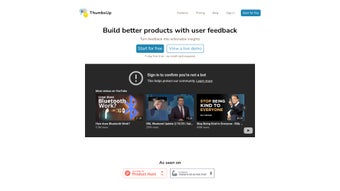
Description
Download ThumbsUp – AI‑Powered Feedback Collection Tool for Businesses
Why ThumbsUp Is Changing the Way Companies Listen to Their Customers
In today’s hyper‑connected market, the speed at which you can capture, interpret, and act on user feedback often decides whether a brand thrives or stalls. ThumbsUp tackles this challenge head‑on with a sleek, AI‑driven web application that centralises every comment, rating, and suggestion into one intuitive dashboard. By marrying real‑time sentiment analysis with keyword‑trend tracking, the platform turns raw data into clear, actionable insights that help decision‑makers pinpoint pain points, celebrate strengths, and forecast emerging preferences before competitors do.
The tool is built for every size of business—from fledgling startups that need a quick, cost‑effective way to gauge early‑stage reactions, to established enterprises that demand unlimited responses, custom branding, and deep integration with existing CRM suites. Its modular pricing, including a free‑tier Starter plan and a feature‑rich Pro plan, makes it easy to scale as your feedback volume grows. Moreover, the user‑friendly interface ensures that even non‑technical staff can launch a feedback campaign in minutes, eliminating the typical bottlenecks associated with traditional survey platforms.
Beyond the obvious benefits of faster insight, ThumbsUp also addresses security and compliance concerns that many feedback solutions overlook. All data is encrypted in transit with TLS 1.3 and at rest using AES‑256, and the platform is fully GDPR‑compliant, giving you confidence that customer privacy is protected. Regular automatic updates keep the AI models current, so you always benefit from the latest advances in natural‑language processing without having to manually patch anything.
Whether you’re looking to improve product usability, fine‑tune marketing messages, or simply boost overall customer satisfaction, ThumbsUp provides a secure, cloud‑based environment that respects privacy regulations while delivering insights that are both timely and trustworthy. The following sections dive deeper into its core features, installation steps, system requirements, and the tangible benefits you can expect once you start collecting feedback with ThumbsUp.
Key Features That Make ThumbsUp Stand Out
AI‑Powered Sentiment Analysis
At the heart of ThumbsUp lies a sophisticated natural‑language processing engine that evaluates every piece of feedback for emotional tone—positive, neutral, or negative. The sentiment score is displayed alongside each comment, allowing teams to quickly surface critical issues without wading through thousands of lines of text. The AI continuously learns from your data, improving accuracy over time and adapting to industry‑specific jargon. For example, a retail‑focused deployment will recognise terms like “checkout friction” or “size guide” as negative cues, while a SaaS environment will flag “downtime” or “integration bugs” with higher priority.
Keyword Trend Tracking
Beyond simple sentiment, ThumbsUp identifies recurring keywords and phrases, generating visual trend graphs that highlight shifting customer priorities. This feature is especially valuable for product managers who need to know which features are gaining traction and which are becoming pain points. Alerts can be configured to notify stakeholders when a negative trend spikes, ensuring rapid response. The trend engine also supports custom vocabularies, allowing you to tag emerging concepts that are unique to your brand.
Data‑Driven Recommendations
The platform doesn’t stop at analysis; it offers concrete, AI‑generated recommendations. For example, if a surge in “slow loading” complaints is detected, ThumbsUp will suggest performance‑optimization steps and even link to relevant support articles. These recommendations are ranked by impact potential, helping teams focus on high‑value actions first. The recommendation engine can also suggest A/B test ideas, content tweaks, or feature prioritisation based on the weighted sentiment of specific user segments.
Customisable Dashboard & Reporting
Every organisation has unique reporting needs. ThumbsUp’s drag‑and‑drop dashboard lets you create bespoke views, export data in CSV or PDF, and schedule automated email summaries. The Pro plan unlocks white‑label options, allowing you to embed the feedback widget directly into your website or app with your brand’s visual identity. You can also set up role‑based access controls so that executives see high‑level trends while support agents view raw comments for quick ticket creation.
- Real‑time sentiment scoring powered by AI
- Dynamic keyword trend visualisation
- Automated, actionable recommendations
- Customisable, shareable dashboards
- Multi‑channel collection (web, mobile, email)
- GDPR‑compliant data handling and secure storage
- Integration with Slack, Zapier, HubSpot, and more
Getting Started: Installation, Usage, and System Compatibility
Step‑by‑Step Installation
ThumbsUp is a cloud‑native SaaS solution, which means there’s no software to download or servers to maintain. Getting started is as simple as creating an account on the official website. After confirming your email, you’ll be guided through a three‑step onboarding wizard:
- Create a feedback widget: Choose a template, customise colours, and decide which question types (rating, open‑ended, NPS) you need.
- Deploy the widget: Copy a short JavaScript snippet and paste it into the
of any web page, or use the native mobile SDKs for iOS and Android. - Configure AI settings: Enable sentiment analysis, set keyword alerts, and define the frequency of recommendation reports.
Within ten minutes you’ll have a live feedback channel ready to capture user input across any digital touchpoint. Because the service is hosted in the cloud, updates to the AI engine, security patches, and new features are rolled out automatically—no manual download or installation required.
Usage Tips for Maximum Impact
To harness ThumbsUp’s full potential, consider the following best practices:
- Targeted placement: Position the widget on high‑traffic pages such as product detail, checkout, or support portals to increase response rates.
- Short surveys: Keep open‑ended questions to one or two lines; the AI works best when the input is concise.
- Regular review cycles: Schedule weekly dashboard reviews to spot trends early and act on AI recommendations before they become systemic issues.
- Team collaboration: Assign sentiment alerts to specific team members via Slack integration, ensuring the right people see the right data at the right time.
- Segmented analysis: Use filters to break down feedback by geography, device type, or customer tier, revealing nuanced insights that a flat view would miss.
Operating System & Browser Compatibility
Because ThumbsUp is a web‑based service, it works across all major operating systems and browsers. The admin console is fully responsive and compatible with Windows 10/11, macOS Ventura and later, as well as Linux distributions that support modern browsers. For mobile feedback collection, the native SDKs run on iOS 14+ and Android 9+. All data is transmitted over TLS 1.3, guaranteeing secure, encrypted communication between your site, the ThumbsUp servers, and end users.
Pros, Cons, Frequently Asked Questions, and Final Verdict
Pros & Cons
- Pros:
- AI‑driven sentiment analysis saves time on manual review.
- Keyword trend tracking visualises evolving customer preferences.
- Zero‑installation SaaS model reduces IT overhead.
- Customisable dashboards and white‑label options for branding.
- Robust integration ecosystem (Slack, Zapier, HubSpot, etc.).
- Free Starter tier allows risk‑free trial.
- Secure, GDPR‑compliant data handling.
- Cons:
- Advanced AI features are limited to the Pro plan.
- Large enterprises may need additional data‑ residency options.
- Learning curve for teams unfamiliar with AI‑driven analytics.
- Limited on‑premise deployment for organizations that require it.
Frequently Asked Questions
Is there a free version of ThumbsUp?
Yes, the Starter plan is free for up to 500 monthly responses and includes core sentiment analysis and basic reporting.
How does ThumbsUp ensure data privacy?
All feedback is stored on GDPR‑compliant servers with end‑to‑end TLS encryption. Users can enable data‑retention policies and export raw data at any time.
Can I integrate ThumbsUp with my existing CRM?
Yes, the platform offers native connectors for HubSpot, Salesforce, and a Zapier bridge for hundreds of other services, allowing automatic ticket creation or lead enrichment.
What types of feedback can be collected?
ThumbsUp supports numeric ratings, Net Promoter Score (NPS), multiple‑choice polls, and open‑ended text responses—all of which are processed by the AI engine.
Is there a mobile app for managing feedback on the go?
While the primary interface is web‑based, ThumbsUp provides iOS and Android SDKs for embedding feedback collection directly within your mobile apps. Administrators can also use the responsive web portal from any smartphone.
How often does ThumbsUp receive updates?
Updates to the AI models, security patches, and new feature releases are rolled out continuously in the cloud, so users always have the latest version without manual downloads.
Conclusion & Call to Action
Overall, ThumbsUp delivers a compelling blend of AI‑driven insight and user‑friendly design that empowers businesses to listen, understand, and act on customer sentiment faster than ever before. The free Starter tier removes the barrier to entry, while the Pro plan unlocks unlimited responses, deep customisation, and advanced analytics for teams that need to scale. If you’re ready to transform raw feedback into a strategic asset, sign up for ThumbsUp today and start turning every comment into a catalyst for improvement.
Guides & Tutorials for ThumbsUp
How to install ThumbsUp
- Click the Preview / Download button above.
- Once redirected, accept the terms and click Install.
- Wait for the ThumbsUp download to finish on your device.
How to use ThumbsUp
This software is primarily used for its core features described above. Open the app after installation to explore its capabilities.
User Reviews for ThumbsUp 0
No reviews found




